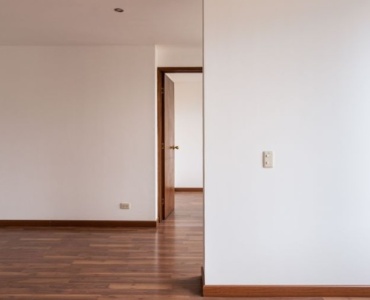
Turning a plain wall into the star of your home is easier than it seems. When you plan your living room around a sleek, wall-mounted television, you get more floor space, cleaner lines, and a flexible layout that can adapt over time. The secret is blending comfort, function, and style so your screen coexists with conversation, storage, and decor. This complete guide shows you how to do exactly that, from mount height and viewing distance to lighting, storage, acoustics, and finishing touches that elevate the space.
Start With Strategy: Purpose, Focal Point, and Flow
Before you pick the mount or push a sofa into place, zoom out and set a strategy. A clear plan ensures that your TV wall is both beautiful and practical, and that every decision ladders up to how you use the room.
Choose the focal wall with intention
Not all walls are equal. The best TV wall often checks these boxes:
- Limited glare from windows or adjacent glass doors
- Centered sightlines from the main seating area
- Room for a console or low storage beneath
- Wall strength to handle the mount and any built-ins
If the perfect wall faces a broad window, plan glare control from the start with layered window treatments. In long and narrow rooms, the short wall at the end often works best because it frames the view down the room and simplifies furniture placement.
Know your use cases
List how you live in the space, then rank the priorities. Are you hosting game day with a crowd, curling up for films, gaming, or chatting over coffee? The answer influences layout choices, the size of the TV, and whether you favor a symmetrical or casual arrangement.
- Film lovers need optimized viewing distance and layered dimmable lighting
- Gamers benefit from reduced input lag, good cable routing, and an ergonomic seat
- Entertainers often need flexible seating and multiple conversation pods
- Families do best with durable upholstery and safe wire management
Map traffic flow and sightlines
Good layouts respect natural pathways. Avoid running traffic directly in front of the screen and keep clear lanes around doors. Sketch your room and trace your paths from entry to sofa, to kitchen, to balcony, and so on. Then place seating so viewers have clear sightlines without blocking circulation.
Get the Mount Right
Nail the basics and everything else falls into place. Height, distance, and cable management are the backbone of a comfortable, clean setup.
Mount height and viewing distance
For most rooms, aim to position the center of the screen at or slightly below seated eye level. A reliable rule of thumb is to place the bottom third of the TV roughly at eye height when you are seated. If multiple seat heights are in play, average them.
- Viewing distance: about 1.2 to 1.6 times the screen diagonal for 4K content. Example: a 65 inch TV feels great at roughly 2 to 2.6 meters.
- Recliners and sectionals: if you slump lower, mount the screen slightly lower so your neck stays neutral.
- Over a fireplace: use a mantel mount that pulls down, or tilt the screen to limit neck strain. Keep mantel heat under control and follow manufacturer clearance guidance.
Power, studs, and cable management
Safe, tidy installs start inside the wall. Use a rated in-wall power relocation kit if you want a finished outlet behind the TV, and locate studs with a reliable finder to anchor the mount.
- Studs: lag bolts into studs or use a certified load-bearing system for masonry
- Wires: run HDMI, ethernet, and speaker wire through approved in-wall conduit for flexibility
- Future ports: leave a spare pull string or conduit for upgrades
- Surge protection: protect the TV and equipment with a quality surge protector or power conditioner
Tilt, swivel, or fixed mount
Choose hardware to match your room. A fixed mount sits tight and sleek. A tilt mount helps reduce glare or high placement. A full-motion swivel gives you off-axis viewing for open-plan living or corner seating. If you plan to mount above a fireplace, a pull-down articulating mount is often the most comfortable solution.
Layout Formulas That Work
There is no single right answer, but these proven arrangements deliver comfort, conversation, and cinematic views without turning the room into a media cave.
Classic symmetry
Place the TV centered on the wall with a low console beneath, flanked by matching bookcases or tall plants. Position a sofa directly opposite, then anchor with a rug that extends at least under the front legs of the seating. Add a pair of accent chairs that either face the TV or angle slightly toward the sofa to create a social triangle.
- Best for: formal living rooms and balanced, timeless looks
- Tip: keep shelves styled light so the screen remains the hero without visual clutter
Relaxed asymmetry
Shift the TV slightly off-center and counterbalance with art, a gallery wall, or an offset console and floor lamp. This creates a dynamic, informal vibe while keeping the screen integral but not dominant.
- Best for: casual spaces, eclectic decor, and rooms with off-center windows
- Tip: repeat materials like black metal and warm wood across the wall to tie disparate pieces together
Corner and tricky rooms
When a straight-on wall is not available, a swiveling mount in a corner can be surprisingly elegant. Float a sectional facing the corner, or angle the sofa to split the difference between the screen and a view or fireplace.
- Best for: small apartments, rooms with many openings, and rentals
- Tip: keep corner storage low and minimal to avoid crowding the angles
Open-plan zones
In open living-dining-kitchen layouts, float furniture off the walls to define zones. Let the TV wall anchor the living zone, and back the sofa with a console table or a low bookcase to subtly divide space. Swivel chairs allow guests to pivot between conversation, the fireplace, or the screen.
- Best for: great rooms and lofts
- Tip: align the TV with kitchen sightlines so casual viewers can see it from an island or banquette
Small living rooms and studios
A wall-mounted TV is a space saver. Choose a low-profile floating console, a compact sofa, and nesting tables. Mounting the TV slightly higher than usual can free wall real estate for a slim shelf below and maintain open floor flow.
- Best for: tight footprints and multi-use rooms
- Tip: mirrors opposite windows bounce light deeper into the space and make it feel larger
Seating That Marries Comfort and Clarity
Getting seating right is half the game. Think comfort first, then refine the angles for clear views and easy conversation.
Build a seating triangle
Start with a primary sofa or sectional facing the TV. Add one or two chairs that angle in at about 15 to 30 degrees, forming a triangle or U-shape around the coffee table. This supports both TV time and talk time. In small rooms, swap bulky side chairs for a slender lounge chair and a pouf.
Sectionals and modular pieces
A chaise-end sectional provides lounging comfort without sacrificing a direct sightline. Modular sofas let you reconfigure for movie nights or parties. If your sectional is L-shaped, keep the short arm toward the TV wall for a cleaner angle.
Swivel chairs and adjustable solutions
Swivel chairs are layout heroes. They provide dynamic viewing and conversation flexibility in open plans. A pair opposite a sofa instantly elevates a room and gives each guest an ideal view without a furniture shuffle.
Kids, pets, and durability
Choose performance fabrics, removable covers, and wipeable finishes. Keep ottomans soft-edged, and consider anchoring the rug with a rug pad to prevent slips. For families, pick a coffee table that does not block the bottom of the screen when toys or board games are in play.
Media Storage and Built-ins
Clutter kills the wow factor. Thoughtful storage keeps remotes, consoles, and speakers out of sight and within reach.
Floating consoles and credenzas
A floating console creates visual lightness and makes floor cleaning easy. A low credenza offers warmth and texture. Either way, choose a piece slightly narrower than the TV wall to frame the screen elegantly.
- Ventilation: electronics need airflow; add open backs or grommets
- Wire access: pass-throughs keep cables invisible
- Finish coordination: echo cabinetry tones elsewhere for cohesion
Built-ins and niches
Custom built-ins turn a TV wall into architecture. Flank the screen with shelves for books and decor, add closed storage below, and leave a clean niche for the TV so the bezel aligns neatly. Consider push-latch doors for a hardware-free look.
Hide gear smartly
Use IR repeaters or RF remotes so equipment can live behind closed doors. Mesh or slatted doors let remotes work while hiding clutter. A small, wall-mounted soundbar can live beneath the screen, and a subwoofer can tuck beside a console or behind a chair.
Sound That Looks As Good As It Sounds
Great audio does not have to scream for attention. With careful planning, you can get cinematic sound without visual chaos.
Soundbar and subwoofer placement
A quality soundbar centered below the screen keeps dialogue crisp. Mount it slightly forward of a console’s face so sound is not muffled, and pair it with a wireless sub placed near a wall for fuller bass without boom.
Surround and Atmos in style
If you are going beyond a soundbar, choose slim satellite speakers and conceal speaker wire in-wall. For Atmos, in-ceiling speakers align with seating positions. Alternatively, use up-firing modules on top of front speakers if cutting into the ceiling is not an option.
- Consistency: matching speaker finishes with the console or wall color reduces visual noise
- Mounting heights: keep surrounds slightly above ear level when seated
- Cable routes: plan dedicated conduits during the mount stage
Everyday acoustics
Soft furnishings are your friends. Add a thick rug, lined curtains, and upholstered seating to absorb echo. For minimalist spaces with lots of glass, use discreet acoustic panels disguised as art or fabric-wrapped panels that match the wall.
Light the Scene Like a Pro
Well-planned lighting elevates the mood and improves viewing comfort. It also protects color accuracy on screen by limiting harsh reflections.
Layered lighting plan
- Ambient: dimmable ceiling fixtures or concealed cove lighting for overall glow
- Task: floor or table lamps near seats for reading and hobbies
- Accent: picture lights, wall washers, or LED strips to highlight the TV wall texture
Put each layer on separate dimmers or smart scenes so you can shift from bright daytime to cozy cinema with one tap.
Bias lighting
Bias lighting behind the TV reduces eye strain and increases perceived contrast without washing out the image. LED strips placed behind the panel or on the wall perimeter are inexpensive and effective. Choose a neutral white around D65 for the most accurate picture.
Glare control
Place lamps off-axis to the screen and install layered window treatments. Sheer shades diffuse daylight, while lined curtains block glare for film nights. Position reflective decor, like mirrors or glossy art, so it does not catch and bounce light toward the screen.
Style Moves for a Wow Wall
You want the TV to belong, not just stick out. The right materials, color, and styling wrap technology in warmth and personality.
Feature materials
- Wood slats add rhythm, depth, and concealment for wires between battens
- Stone or porcelain slabs bring drama and durability
- Limewash or textured plaster softens the wall and hides minor cable runs
- Wallpaper or grasscloth warms the view and frames the screen
When using bold materials, keep the console simple so the wall remains cohesive. Aim for contrast that flatters your screen, like warm wood against a slim black bezel.
Color palettes that flatter screens
Deep, muted hues help the screen recede when off and boost contrast when on. Charcoal, midnight blue, olive, or warm taupe all work beautifully. If you prefer light and airy, soften the contrast with gentle texture and repeat dark accents in the room so the TV is not the only black element.
Art, shelves, and balance
Pair the TV with art that shares its visual weight. A large canvas or balanced gallery wall prevents the screen from dominating. Shelves styled with a few larger objects, not many small ones, calm the composition. Think stacks of books, a sculptural vase, and a leafy plant.
Technology and Smart Controls
Smart control makes daily life smoother and keeps the wall clean. Consolidate remotes, automate lights, and corral cables with intention.
- Smart remotes or hubs reduce clutter and simplify inputs
- Scenes set picture presets, lower shades, and dim lights at once
- Concealed charging drawers or a dock inside the console for controllers
- Labeling cables at both ends to speed troubleshooting and upgrades
Measuring and Planning Checklist
If you are wondering how to design a living room with a wall‑mounted TV without missing a step, use this streamlined checklist from first sketch to final styling.
Step-by-step guide
- Measure the room and note doors, windows, outlets, and studs. Draft a scaled plan.
- Select the focal wall with the best sightlines and minimal glare.
- Right-size the TV for your seating distance and content preferences.
- Choose the mount type based on height and viewing angles.
- Plan in-wall power and conduit routes before any finishes go up.
- Lay out furniture to respect traffic flow and create a seating triangle.
- Decide on storage: floating console, credenza, or built-ins.
- Design your audio plan: soundbar only or discreet surround.
- Specify lighting layers with separate dimmers or smart scenes.
- Pick wall finishes, color palette, and materials to frame the screen.
- Cable, label, and test all connections before closing the wall.
- Style with art, books, plants, and textiles to balance the tech.
Mistakes To Avoid
- Mounting too high causes neck strain and makes the screen feel disconnected
- Ignoring glare from windows or lamps, which ruins contrast
- Poor cable planning that leaves visible wires or limits upgrades
- Overstuffing shelves so the wall looks busy and the TV dominates
- Skimping on sound then pushing volume to compensate
- Rugs too small which float furniture and make the room feel choppy
Budget Tiers and Where to Splurge
No matter your budget, a thoughtful plan delivers big impact. Spend where it matters most for how you live.
Entry level
- Solid fixed mount and correct height
- Soundbar with wireless sub
- Simple floating shelf or slim console
- Bias lighting and blackout curtains
Mid-range
- Full-motion mount for flexible viewing
- Layered lighting with smart dimmers
- Custom-sized rug and performance upholstery
- Slat wall or textured finish behind the TV
Premium
- Built-ins with integrated lighting and hidden wire chases
- Discrete surround or Atmos audio
- Architectural finishes like stone or bespoke millwork
- Whole-room control with scenes and voice integration
Splash wisely on the mount, lighting control, and seating comfort. Save with DIY paint or by upgrading a solid vintage credenza for media storage.
Three Real-World Layout Scenarios
The narrow living room
Mount the TV on the short wall. Float a slim sofa opposite and add a compact lounge chair and pouf, forming an L around a narrow coffee bench. Choose a long runner rug to visually lengthen the room. A floating console opens floor space, while a tall plant in the far corner adds height and draws the eye forward.
The open-plan great room
Place the TV on a central wall visible from the kitchen island. Use a large sectional with a console table behind it to define the living zone. Add two swivel chairs for flexible angles. Layer lighting with recessed ambient, a pair of sconces flanking the TV wall, and warm lamps by the chairs. Screens and scenes are pre-programmed: Movie Night dims lights to 20 percent, closes shades, and switches inputs.
The family lounge
Mount the TV slightly lower for gaming comfort. Add a soft ottoman instead of a sharp-edged coffee table. Choose a performance-fabric sectional, washable throw covers, and a credenza with mesh fronts for ventilation. Store controllers in labeled bins inside a drawer with a charging strip. A washable rug with a pad keeps things cozy and quiet.
Furniture and Rug Sizing Essentials
Right-sizing your big pieces anchors the look and prevents awkward gaps.
- Sofa length proportional to the wall, ideally leaving 30 to 60 centimeters each side for breathing room
- Rug size large enough for front legs of all seating to rest on it; in small rooms, at least the sofa front legs on the rug
- Coffee table about two thirds the sofa width and 35 to 45 centimeters from the seat edge
- Console width near the screen width or slightly longer for balance
Cohesive Styling Around a Screen
Styling is where a TV wall stops being just a tech panel and becomes part of your home’s story.
- Echo shapes: pair a rectangular screen with rectilinear shelves and contrast with round side tables
- Rhythm: alternate open and closed storage to keep the eye moving
- Scale: a few large decor pieces beat many small ones
- Greenery: plants soften angles and absorb sound
Finish with textiles that tie it all together: a throw that picks up the console wood tone, pillows that repeat the rug colors, and an art piece that harmonizes with the screen’s proportion.
How To Design A Living Room With A Wall-Mounted TV: A Practical Walkthrough
If you want a single blueprint for success, follow this practical sequence from blank wall to wow.
1. Decide what matters most
List priorities like cinema nights, casual sports viewing, gaming, or reading. This determines screen size, mount type, seating mix, and lighting control.
2. Lock in the wall and mount
Pick the wall with the least glare, mark stud locations, and select a fixed, tilt, or articulating mount. Plan a code-compliant power feed and in-wall conduit for clean cabling.
3. Size the screen and set distance
Match TV size to seating distance, and place the center near eye level. Test with painter’s tape outlines before drilling.
4. Draft the furniture plan
Build around a primary sofa or sectional, add chairs at flattering angles, and ensure clear walkways. Use a rug big enough to unify the layout.
5. Engineer sound and light
Pick a soundbar or surround setup with stealthy wire routes. Layer ambient, task, and accent lighting on dimmers or smart scenes. Add bias lighting to the screen.
6. Add storage and style
Choose a floating console or credenza with ventilation and cable passthroughs. Finish the wall with texture, color, and artwork that complements, not competes, with the screen.
7. Cable, label, and test
Run and label all cables, then test picture modes, audio levels, and remotes. Save presets for day, night, and sports or game modes.
8. Live and refine
After a week, adjust mount tilt, move a lamp, or swap a chair angle. Small tweaks bring the design from good to great.
Frequently Asked Mini-Questions
- Should the TV go over the fireplace Only if you can keep heat under control and use a pull-down tilt. Otherwise, pick a dedicated wall.
- Can the TV share a wall with art Yes. Balance scale and spacing, and avoid reflective glass near the screen.
- What about cable chaos Use in-wall conduit, label both ends of each cable, and opt for a hub or single smart remote.
- How high should I mount in a small room Err a bit lower to keep sightlines comfortable from compact seating.
Maintenance and Future-Proofing
Design for the long haul so upgrades and cleaning are painless.
- Access: include removable panels or an open back on the console
- Spare conduit: leave room for one more cable than you think you need
- Dust management: keep a soft brush for vents and use cable sleeves that unzip for cleaning
- Software: set reminders to update firmware on the TV and streaming devices
Putting It All Together
A standout living room around a wall-mounted TV blends ergonomics, elegant storage, layered light, refined acoustics, and personality. The mount height supports comfort, the layout champions both conversation and cinema, and the finishes celebrate your style. By following the principles and step-by-step process above, you will know exactly how to design a living room with a wall‑mounted TV that looks seamless, sounds great, and adapts with you over time.
From blank wall to wow, the transformation is not just about the screen. It is about crafting a room that welcomes people in, turns movie nights into memories, and stays beautiful every day in between.