Your home is a silent teammate in everything you do. It can nudge you toward what matters or quietly pull you away from it. The difference rarely comes down to motivation; it is about design. With a few strategic tweaks, you can make healthy meals faster than takeout, reading easier than scrolling, and bedtime more natural than late-night email. This is your practical playbook for how to design a home that supports good habits, so your spaces make the right choice the easy choice.
What follows blends behavioral science with interior strategy. You will learn how to reduce friction for the behaviors you want more of, increase friction for the ones you want less of, and install visual cues that steer you on autopilot. You will also get a step-by-step framework, room-by-room tactics, renter-friendly options, accessibility notes, and a one-weekend plan to put it all into action.
The Science of Habit-Friendly Spaces
Why environment beats willpower
Willpower is a short-term sprint; environment is a marathon pacer. When your kitchen counter holds washed fruit within reach, you will eat more fruit without thinking. When your phone charges across the room, bedtime scrolling becomes too inconvenient. This is the essence of good design for behavior: make desired actions obvious, easy, and satisfying, while making unhelpful actions invisible, distant, and effortful.
At home, cues trigger routines. Visual cues, tactile setups, and default placements act like pre-loaded instructions. A yoga mat that lives open beside the couch invites a few poses during a TV break. A water carafe on your desk boosts hydration effortlessly. The right cue at the right time turns intention into action.
The habit loop in spatial terms
Every habit rides a loop of cue, action, reward. Homes can deliberately shape each phase:
- Cue Place triggers in your line of sight. Transparent bins, open shelves, and purpose-built stations act as prompts.
- Action Build layouts that reduce steps. Kits put tools together. Zones keep tasks contained.
- Reward Make the finish feel good. A tidy reset ritual, a visible progress tracker, or a pleasant sensory payoff reinforces the loop.
Designing with this loop in mind is the shortest path to a home that reliably supports your routines.
Choice architecture at home
Choice architecture is the art of shaping decisions by tweaking contexts. You can apply it at home through simple levers:
- Defaults What is out stays used; what is hidden stays ignored. Put the best options in the easiest spots.
- Friction Add or remove steps to shape behavior. One extra step can reduce a habit you want to avoid; one fewer step can boost a habit you want.
- Affordances Objects signal their use by their form and placement. A kettlebell by the office door whispers pick me up on breaks.
- Constraints Physical or temporal limits channel behavior. A small snack bowl limits portions more effectively than rules alone.
How to design a home that supports good habits
Use this five-step framework to turn intention into layout. It will help you shift from random tidying to targeted behavior design.
Step 1. Clarify your keystone habits
Keystone habits make other good choices easier. Define no more than three for the next 90 days. Examples include daily reading, earlier bedtime, more whole foods, regular movement, deeper focus at work, or mindful phone use. Be specific about the smallest version of success. Ten minutes of reading counts. One set of mobility drills counts. Small wins compound when repeated.
- Prompt What two or three habits, if done consistently, would improve everything else
- Define Write the smallest reliable version that fits any day, even travel or stress days.
Step 2. Audit your current environment
Walk your space with a detective mindset. Carry a notebook or your phone notes. Map where habits start, stall, or slip.
- Cue mapping What do you see first when you enter a room What do your hands touch by default Which objects shout use me
- Friction mapping Count steps to begin a habit. If brewing tea requires hunting for mugs and a kettle in different cabinets, that is friction.
- Energy mapping Note how you feel in each zone. Harsh lights late at night spur alertness; soft pools of light invite winding down.
- Traffic mapping Trace real pathways. Piles appear where systems fail. Those piles reveal true use patterns.
Take photos. Mark hotspots. A clear picture of reality makes redesign obvious.
Step 3. Arrange for action
Now make the desired action shortest and most visible. Build zones, create kits, and stage cues.
- Zones Dedicate small areas to single purposes. A brew station, a stretch nook, a mail triage tray. Naming a zone clarifies expected behavior.
- Kits Bundle everything needed for a habit in one grab-and-go place. A reading kit holds a book, bookmark, lamp, and throw. A workout kit holds resistance bands, towel, and timer.
- One-touch rule Reduce choices and touches. The more you must decide, the less you do. Set default placements so hands move without thinking.
- Visibility Use open shelving, clear bins, and counter stands for the few items you want daily. Hide the rest behind doors or higher shelves.
Step 4. Automate and constrain
Where possible, let your home handle the prompting. Use light, time, and tech to nudge behavior while creating barriers for temptations.
- Automations Smart plugs, lights on schedules, and reminders by location can cue and support action.
- Pre-commitments Place the foam roller on your desk chair at night so you must move it in the morning. Put your running shoes by the door across your bag.
- Constraints Keep sweets on a high shelf in an opaque bin. Use a small TV stand with no room for game consoles during weekdays. Set the router to pause late-night internet on weeknights.
Step 5. Iterate with micro experiments
Try one layout change per week. Track whether it increases consistency. If not, adjust. Treat your home like a living lab.
- Measure A simple sticky note grid or habit app is enough. Mark whether the habit happened today.
- Tune Move the cue closer, simplify the kit, or shorten the action. Keep what works; discard what does not.
- Seasonality Revisit setups with weather and schedule changes. Good environments evolve with you.
Room-by-Room Tactics to Make Good Habits Easy
Entryway and exits the decision gate
The threshold dictates what enters your day and what leaves it. Design this small zone and you will design your momentum.
- Reset station A narrow console with a tray for keys, sunglasses, a small notepad, and your go bag. Add a hook for a water bottle to prompt hydration on the go.
- Movement cue Place walking shoes and a lightweight jacket on a visible hook. A small umbrella by the door removes weather excuses.
- Mail triage Use a two-slot wall organizer labeled action and file. Shredder nearby. This turns paper chaos into a three-minute ritual.
- Pet and kid kits Leashes, poop bags, sunscreen, and hats where you actually exit. Fewer searches mean more on-time walks and play.
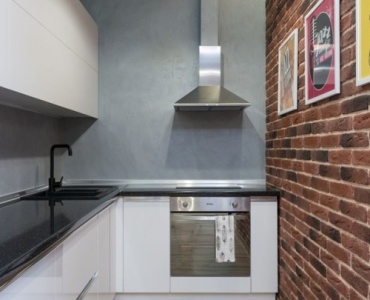
Kitchen make healthy eating the default
Food choices are 90 percent environment. Put whole foods in the front row. Hide treats like museum artifacts. Arrange tools for fast prep.
- Transparent fridge front row Wash and prep produce on market day. Store at eye level in clear containers. Place dips and hummus next to vegetables for instant snacks.
- Counter policy Only three everyday tools stay out. Examples blender for smoothies, kettle for tea, cutting board in a stand. Out of sight tools are out of mind uses.
- Meal kits Group shelf-stable staples for go-to meals. A pasta night bin holds whole-grain pasta, canned tomatoes, olive oil, and spices. A soup bin holds broth, beans, and aromatics.
- Portion defaults Use smaller plates and bowls. Pre-portion nuts and snacks into small jars.
- Water as a cue Keep a carafe and glasses on the table. Hydration is the easiest win.
Want to learn how to design a home that supports good habits around nutrition Start with visibility, then shorten prep with kits, then end with an easy cleanup routine that keeps counters clear.
Living room reclaim attention for reading and connection
The living room tends to revolve around screens. Flip the default.
- Reading zones Place a chair with a side table and a warm lamp. Top with a single book and a bookmark. Keep extras in a closed cabinet to reduce choice overload.
- Screen friction Store remote controls in a drawer across the room. Wind charging cables and stash them in a lidded box so phones are not in hand by default.
- Analog amusements Keep a board game or puzzle on a coffee table tray. Social defaults matter.
- Movement micro-habits A yoga mat and a pair of light dumbbells tucked in a woven basket keep movement cues attractive but accessible.
Home office boost focus and flow
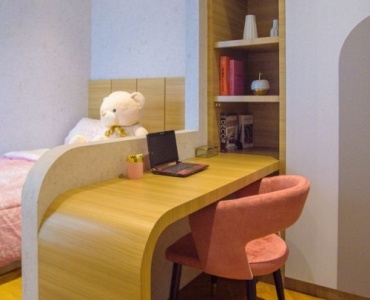
Work zones should minimize context switching. Design the desk for a single task at a time. Everything visible should support that task.
- One-surface, one-mode Writing mode pen, paper, and laptop on a stand. Meeting mode camera light, notes. Deep work mode noise blockers, timer, water.
- Paper pipeline Three trays in, doing, done. Clear the done tray weekly. Reduce unfinished stacks that drain attention.
- Distraction distance Put entertainment tabs and devices physically away during focus blocks. A phone stand on a shelf behind you adds just enough friction.
- Break kit Timer set to 50 minutes focus and a five-minute break kit bands for shoulder openers, a lacrosse ball, and a small water mister to refresh.
- Lighting Use a bright, cool task light for daytime alertness and a warmer lamp late afternoon to ease into evening.
Bedroom protect sleep and calm
Sleep is the ultimate keystone. Make your bedroom a cue for rest, not work.
- Tech-free default Create a phone charging station in the living room or hallway. Use a simple alarm clock at the bedside.
- Light and temperature Blackout curtains, warm bedside bulbs, and a cool thermostat make sleep automatic.
- Wind-down tray Keep a book, journal, and herbal tea sachets on a tray. A small essential oil roller can mark a sensory cue for bedtime.
- Clothing cues Lay out pajamas and tomorrow’s outfit to reduce late-night decisions and morning friction.
Bathroom daily hygiene on autopilot
Small health habits thrive with simple staging.
- Toothbrush visibility Use a counter caddy to keep brush, floss picks, and a small cup together. Put floss in front of toothpaste.
- Skincare sequence Line items in use order left to right. A small mirror sticker with AM or PM steps can eliminate thought.
- Medication adherence Use a day-of-week pill organizer beside the kettle or coffee station, not hidden in a cabinet, if safe for your household.
Laundry and cleaning make resets routine
Clean spaces reduce cognitive load. Make reset rituals short and scheduled.
- Folding station A clear surface with a basket per person labeled by name. Put hangers within reach to reduce steps.
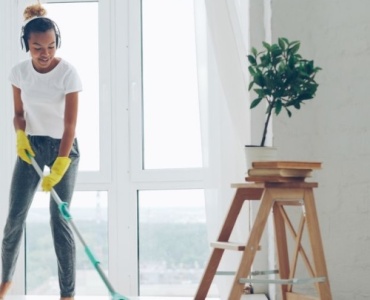
- Daily swipes Keep a caddy on each floor with a microfiber cloth, spray, and lint roller. Two-minute resets prevent weekend marathons.
- Robot helpers If budget allows, a robot vacuum on a daily schedule maintains floors with zero willpower.
Garage, storage, and fitness nooks movement without a commute
Create a small, attractive zone for activity you enjoy.
- Open mat policy Keep the mat out. A folded mat is a friction trap.
- Anchor cues Mount hooks for bands and a simple whiteboard listing your five go-to routines. Visual simplicity reduces procrastination.
- Sound and comfort A small speaker, fan, and good light make the zone inviting, which is half the battle.
Outdoor spaces micro-habits with sunlight
Even a balcony can host powerful rituals.
- Morning light chair Place a comfortable chair where you catch sunrise light. Ten minutes outside sets circadian rhythm and mood.
- Watering can cue Store the watering can in plain sight by the plants. Visible dryness invites action.
- Shoes by the back door A short loop walk after dinner becomes default when shoes are right there.
Design for households, not just individuals
Shared norms and visible agreements
Great design supports the people you live with too. Co-create a few visible agreements.
- Family command center A wall calendar, meal plan, and chores list at kid eye level makes tasks tangible.
- Snack zones for kids Clear, low bins with fruit and pre-portioned nuts teach autonomy and healthy defaults.
- Quiet and loud zones Label and equip rooms according to noise tolerance. Headphones in the quiet zone, speaker in the play zone.
Roommates and boundaries
For shared homes, use gentle design to support agreements without policing.
- Dish reset window Post a time window for nightly resets and put tools in reach. A brush, soap, drying rack, and compost bin at arm’s length transform cleanup.
- Shared storage labels Labels reduce friction and conflict. When everyone knows where things live, compliance rises.
Renters, small spaces, and budget-friendly moves
No-drill, reversible options
You do not need renovations to build a habit-friendly home. Use portable, modular solutions.
- Tension rods and adhesive hooks Create vertical storage and curtain dividers without holes.
- Rolling carts Turn any corner into a brew bar, art station, or cleaning caddy, then roll it away.
- Fold-flat gear Choose a collapsible bench, foldable mat, and stackable bins to reclaim floor space quickly.
Small space psychology
In tight quarters, visual noise kills focus. Limit each surface to a single purpose and a single displayed object that cues the desired habit. Use closed storage for back stock. Choose lighter color palettes and mirrors to create mental breathing room.
Low-cost, high-impact upgrades
- Lighting Clamp-on lamps and smart bulbs change the feel of a room for less than a fancy chair.
- Timers Simple outlet timers work like automation without a hub.
- Clear bins and labels Visibility wins more habits than the latest gadget.
Accessibility, safety, and inclusivity
Universal design for sustained habits
Design that works for more bodies and brains works better for everyone.
- Reachability Store daily items between shoulder and knee height. Heavier items lowest.
- Contrast and texture High-contrast labels and tactile markers support low-vision and neurodivergent users.
- Mobility paths Keep 36 inch wide pathways clear. Use rounded corners and soft mats to reduce injury risk.
- Sensory zoning Create quiet, dim refuges and brighter, lively zones to match energy needs.
The digital layer tech that helps, not hijacks
Smart home prompts
Use tech to scaffold, not replace, design.
- Light routines Schedule warm bedside lamps to turn on for reading and off at bedtime.
- Smart plugs Kill TV power weekdays after 9 pm. Put the router on a bedtime schedule.
- Voice assistants Create routines that start a focus playlist, set a 50 minute timer, and send your phone to Do Not Disturb.
Habit tracking made physical
- NFC tags Stick a tag on your kettle that logs hydration to an app when tapped.
- E-ink boards Mount a small e-ink habit tracker in your kitchen. Low-glare displays act like a quiet coach.
Digital detox by design
Reduce temptation by adding delay and distance.
- Charging valet A shared charging station in the hallway breaks couch scrolling.
- App-free zones Keep tablets in a cabinet with a physical timer that unlocks access during kids play windows only.
- Single-purpose devices Use a basic e-reader without apps for nighttime reading.
Seasonal resets and life transitions
Quarterly audits
Every season, revisit your keystone habits and refresh zones.
- Declutter sprints 20 minutes per room. Remove items that compete with your main cues.
- Swap kits Rotate winter and summer workout kits. Update pantry staples with seasonal recipes.
- Reboot rules Reconfirm defaults no phones in bedrooms, reading before screens, movement before media.
Life events
New baby, new job, housemates, or health changes all demand layout changes. When routines shift, update zones immediately. The fastest way to regain momentum is to restage your cues and kits for the new reality.
Common pitfalls and how to avoid them
Pretty but impractical
Instagram-worthy displays can hide friction. If it looks good but takes five steps to use, you will not use it. Prioritize reach, ease, and wipe-ability over aesthetics.
Over-optimizing everything
Design a few keystone zones well. Do not try to optimize every drawer. Focus on the one or two rooms where your day rises or falls.
Clutter creep
Every system decays. Add end caps to habits. When you finish an action, pair it with a 60 second reset. A fast tidy is a force multiplier.
Three mini case studies
The 15 minute musician
Goal practice guitar daily. Problem instrument lives in a closet. Solution mount a low-profile wall hanger in the living room, place a stand with a tuner and picks beside the couch, and set a lamp timer to turn on at 7 pm. Add a small stool as a cue. Result practice compliance jumps from twice a week to six days a week with short, satisfying sessions.
The mindful eater
Goal more whole foods, fewer late-night snacks. Problem treats are visible, produce is buried. Solution move produce to eye level in the fridge, put nuts and oats in clear jars on the counter, and store sweets in an opaque bin high up. Add a tea station beside the sink as an alternative to dessert. Result cravings drop at night and breakfast quality improves because the best options are easiest.
The focused remote worker
Goal deeper work blocks. Problem phone and TV constantly call. Solution create a meeting cart and a deep work desk. The cart holds camera light and notebook for calls, rolls away after. The desk holds only laptop, noise blockers, timer, and water. Phone charges behind the chair. Router pauses streaming services from 10 to 4. Result more flow sessions and earlier shutdown time.
A one-weekend makeover plan
Day 1 assess and clear
- Morning Name your three keystone habits. Do a 30 minute walkthrough to map cues and friction.
- Midday Declutter surfaces in your key rooms. Remove anything unrelated to the main habit.
- Afternoon Create one kit per habit. Reading kit, workout kit, meal prep kit.
Day 2 arrange and automate
- Morning Stage zones. Place kits in visible, accessible spots. Mount hooks and label bins.
- Midday Add two automations. Lighting for reading and smart plug for TV cutoff, for example.
- Afternoon Test run a full routine in each zone. Note friction and adjust on the spot.
By Sunday night, you will feel what it means to design a home that supports good habits rather than fights them.
Frequently asked questions
- Do I need to buy new furniture No. Start by moving what you have. Placement beats purchase.
- How soon will I notice changes Many people feel immediate momentum when cues become visible and friction drops. Expect one to two weeks for new rhythms to feel natural.
- What if my family does not cooperate Collaborate on two or three shared norms. Use labels and fun cues for kids. Design is friendlier than nagging.
- How do I keep it up Pair habits with resets and review quarterly. Small refreshes keep systems alive.
- Can this work in a studio apartment Yes. Create micro zones with carts, curtains, and lighting. Limit each surface to one purpose.
Putting it all together
Design is leverage. When your home aligns with your values, discipline becomes a backup plan, not the first plan. You now have a clear path for how to design a home that supports good habits across every room and season of life. Start with three keystone habits. Audit your current layout. Arrange visible cues and easy kits. Add simple automations and constraints. Iterate until the right actions feel inevitable.
Choose one space today. Swap a friction trap for a friction lift. Put water in arm’s reach, hide the remote, lay out the book, set the lamp. Then let your home do what great design does best guide you quietly toward the life you want.
Secondary keyword ideas to guide your tweaks
- Habit stacking Pair a desired action with one you already do.
- Choice architecture Shape defaults and options.
- Visual cues Keep prompts in line of sight.
- Reduce friction Remove steps for good behaviors.
- Increase friction Add small barriers for time-wasters.
- Home organization Use zones, kits, and labels.
- Sleep hygiene Bedroom design that signals rest.
- Healthy eating Fridge and pantry visibility.
- Digital detox Charging stations out of living zones.
- Productivity at home Desk modes and distraction distance.
With these principles and tactics, the path is clear. Make the best choice the easiest, the unhelpful choice the hardest, and your daily environment will pull you forward without a fight.